
How to plan a client website project from kickoff to launch
A week-by-week plan for agencies, from scope and sitemap to QA, launch and handover.
In this post
Most client websites do not run late because the build is hard. They run late because nobody agreed what "done" meant, content arrived a fortnight after it was needed, and feedback came from five people in three channels. Good client project planning fixes that before the first wireframe exists: a clear scope, a phase plan with dates, one owner per piece of work and a single place where the client can see progress.
This guide walks through a practical, week-by-week plan for an agency building a client website, from kickoff to handover. Stretch or squeeze the weeks to fit the size of the site, but keep the order and the gates between phases.
Why client website projects slip
Before the plan, it helps to name the usual culprits, because each phase below is designed to head one of them off.
- Fuzzy scope. "A new website" means different things to the client, the designer and the developer. Without a written scope, every extra page feels reasonable.
- Late content. Copy, photos and product details are the client's job, and they are almost always the last thing to arrive. Build waits, launch slips.
- Feedback sprawl. Comments by email, chat and phone, with no record of what was agreed.
- No single owner. "The team" is responsible, so nobody is. Tasks drift between people and quietly stall.
- A soft finish. Launch happens, but logins, training and hand-off notes trail on for weeks.
A plan that names owners, dates and sign-offs for each phase removes most of this friction.
A week-by-week client website plan
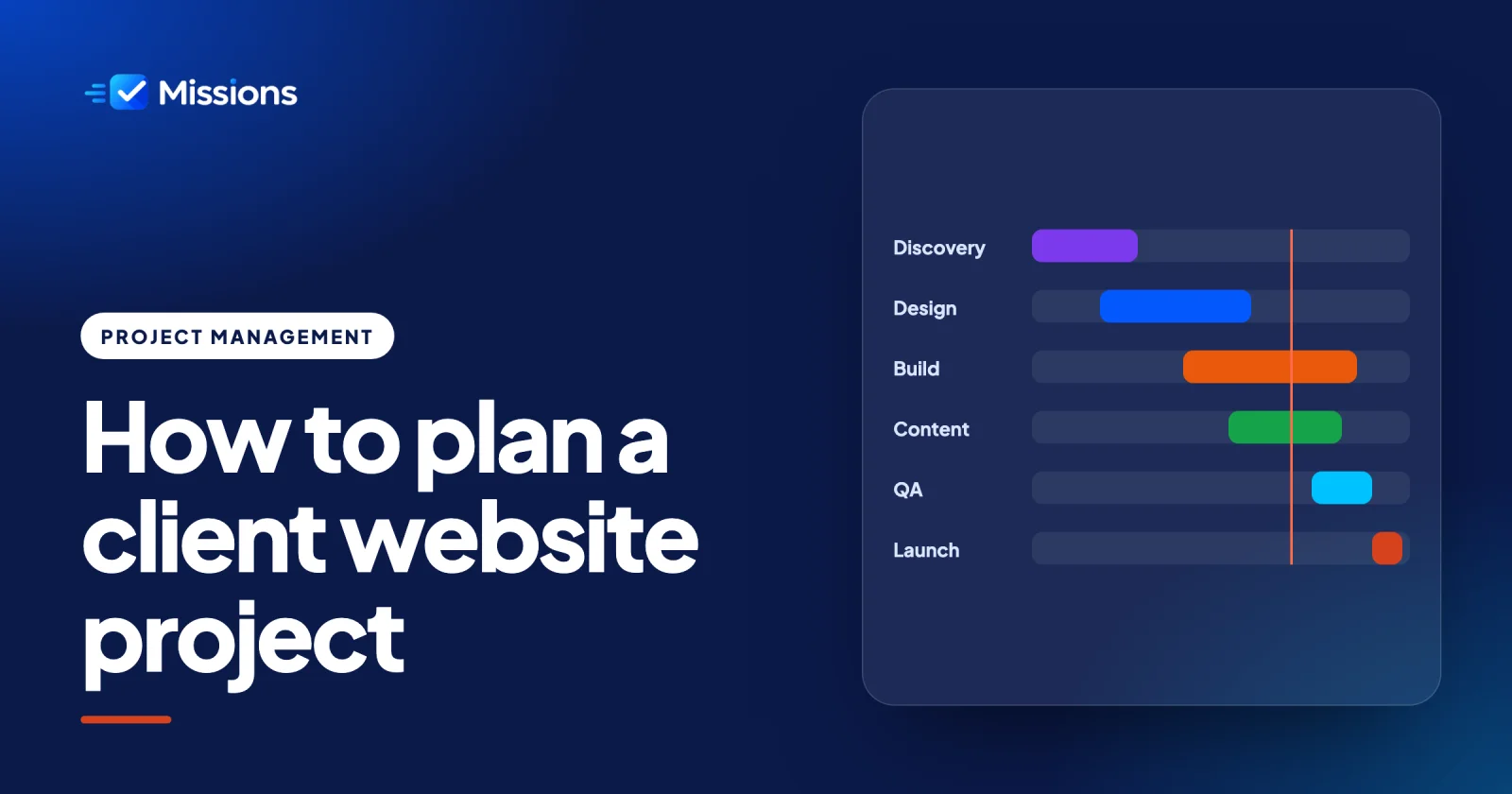
Here is a typical eight-week shape for a small-to-medium marketing site. Treat the weeks as a starting point, not a promise.
- Week 1: KickoffMeet the client, confirm goals, audience, decision-makers and how feedback will be given.
- Week 1: ScopeWrite down pages, features, integrations and what is out of scope. Get it signed off.
- Week 2: SitemapAgree the page structure and navigation, and list the content each page needs.
- Weeks 2-3: DesignWireframes for key templates, then visual design. One consolidated round of feedback per stage.
- Weeks 4-6: BuildDevelop templates, set up the CMS, connect forms and integrations.
- Weeks 3-6: ContentThe client writes or approves copy and supplies images while the build runs in parallel.
- Week 7: QATest on real devices and browsers, check forms, speed, accessibility and redirects.
- Week 8: LaunchGo live, check analytics and search settings, watch for errors.
- Week 8: HandoverHand over logins, a short training session and notes on how to keep the site healthy.
Week 1: kickoff and scope
The kickoff call sets the tone for the whole project. Agree the business goals, who the site is for, who signs off and how feedback will reach you. Then turn that conversation into a written scope: the pages, the features (forms, booking, shop, blog), any integrations, and a short list of what is not included. A signed scope is the best defence against creep, and it gives you something neutral to point to when new requests appear.
Week 2: sitemap and content plan
The sitemap is where scope becomes concrete. List every page, how it sits in the navigation and what content it needs. This is also the moment to send the client a content checklist with dates attached, because content is the dependency most likely to hold up launch. If you are unsure how visitors expect pages to be grouped, a quick card sort with a few real users is cheap and revealing.
Weeks 2-3: design
Start with wireframes for the templates that matter most (home, a service page, a contact page), then move to visual design. Ask the client to gather everyone's comments into one round per stage. Two clean rounds beat six scattered ones.
Weeks 4-6: build and content in parallel
Development runs while the client finishes copy and images. Keep a running list of which pages have final content and which are still waiting, so nobody is surprised in week seven.
Week 7: QA
Test like a visitor, not like the person who built it. Check every form, every link and every template on phones, tablets and desktops. Review headings, alt text and colour contrast against the Web Content Accessibility Guidelines, and confirm redirects from any old URLs.
Week 8: launch and handover
Launch on a quiet weekday morning, not a Friday afternoon. Check analytics, search settings and forms in the live environment. Then close the project properly: hand over logins, run a short training session and leave written notes on updates and backups.
Turn the plan into owners and dates
A timeline on a slide is not a plan until every piece of work has a name and a date on it. The simplest rule that works: every task has one owner and one due date. Two owners means no owner. No due date means "someday".
Break each phase into tasks small enough to finish in a few days. "Design" is a phase; "Homepage wireframe", "Service page visual design" and "Design feedback round 1" are tasks someone can own. For each task, write down what done looks like as a short checklist, so the person doing the work and the person reviewing it agree on the finish line.
| Phase | Example tasks | Typical owner |
|---|---|---|
| Scope | Write scope document, client sign-off | Project manager |
| Sitemap | Draft sitemap, content checklist sent | Strategist or PM |
| Design | Wireframes, visual design, feedback rounds | Designer |
| Build | Templates, CMS set-up, forms | Developer |
| Content | Copy per page, images, final approval | Client contact |
| QA | Device tests, form tests, accessibility check | Developer and PM |
| Launch | Go-live checklist, handover session | Project manager |
Notice the client appears as an owner. If content is late, it should be visible to everyone that it is the client's task that is overdue, not the developer's.
How Missions keeps a client website on track
Missions is built for exactly this kind of work. Here is how the plan above maps onto it.
One project per client site. Create a project for each client website so its work, files and conversations stay together. You can group projects under the client they belong to, which keeps things tidy when you run several sites for the same company.
Missions with one owner and a due date. Each task is a mission. Give it an owner, a due date and a priority, and the "one owner, one date" rule is built into how the team works.
Objectives as checklists. Inside each mission, add objectives: the checklist of what done looks like. "Homepage wireframe" might have objectives for desktop layout, mobile layout and an internal review. Attach the files alongside, so the latest version is always on the mission. See checklists and attachments.
The T-minus countdown. Missions keeps the time left to a due date in view, so the team sees what is approaching rather than discovering it on the day. It is a small thing that makes slipping dates hard to ignore.
Board and calendar views. Use the board to run each week's flow, with columns for your own statuses such as To do, In design, Client review and Done. Switch to the calendar when you need to see how the launch week is shaping up, or whether QA and content deadlines are colliding. Both views show the same missions, so nothing is entered twice.
Share the project with your client as a guest. Invite the client contact as a guest on their project. They can follow progress and comment on missions, so feedback lands in one place instead of five, and they do not see anything else in your workspace. Read what guests can and cannot see before you share.
Your own branding. Because the client sees the project too, Missions can carry your logo, colours and font, and even run on your own domain. To the client, it looks like part of your agency's service.
Common mistakes to avoid
- Starting design before the sitemap is agreed. You will redesign pages that later disappear.
- Leaving content to "later". Put content tasks on the plan with the client as owner and real dates.
- Collecting feedback everywhere. Agree one place for comments at kickoff and stick to it.
- Skipping QA because the site "looks fine". Forms and redirects fail silently.
- Calling launch the end. Handover is part of the project. Plan and date it like any other phase.
Wrapping up
A good client website plan is not complicated: a signed scope, a sitemap, clear phases with gates, and every piece of work owned by one person with one date. Put that plan somewhere the whole team and the client can see it, and most of the usual delays never get the chance to start.
When you are ready to put your next client site into Missions, compare plans on the pricing page.
Frequently asked questions
How long does a client website project usually take?
A small-to-medium marketing site often takes around six to ten weeks from kickoff to launch, depending on page count, integrations and how quickly content and feedback arrive. Larger sites with shops or custom features take longer. Plan the phases first, then set dates around them.
What are the phases of a website project?
Most agency website projects move through kickoff, scope, sitemap, design, build, content, QA, launch and handover. Content usually runs in parallel with the build. Putting a sign-off gate between phases keeps rework and scope creep under control.
Why do client website projects run late?
The most common causes are unclear scope, content that arrives late, feedback scattered across channels and tasks without a single owner. Writing down the scope, giving content tasks to the client with real dates and collecting feedback in one place prevents most delays.
Should the client see the project plan?
Yes. Sharing the plan lets the client see what is due, what they owe you and where feedback should go. Inviting them as a guest on their project gives them that visibility without exposing the rest of your workspace.